
Is this translation really right?
Messages to international colleagues, replies to clients, machine-translated text you are not quite sure about. TransLoop answers the question you have right before sending, from your phone.
DOWNLOAD
Free to start. You can begin without signing in and link an Apple or Google account later.
How it works
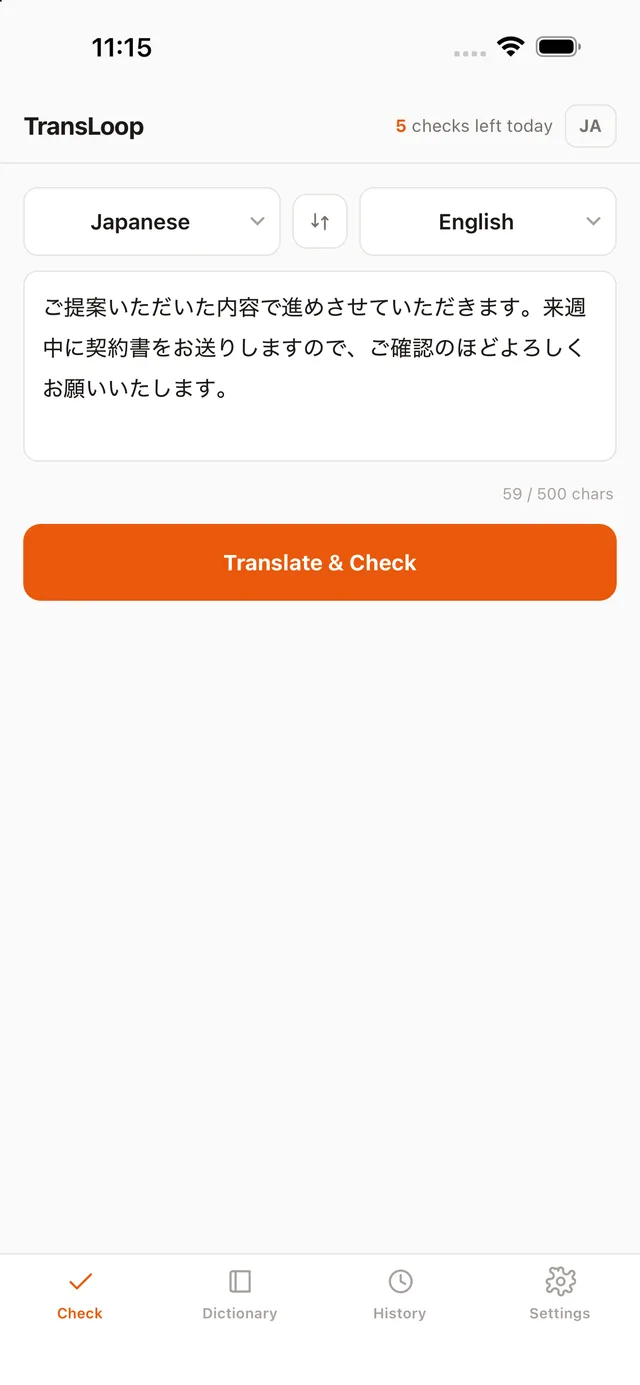
- TranslateEnter the text you want to check and tap Translate & Check. Your saved dictionary entries are applied.
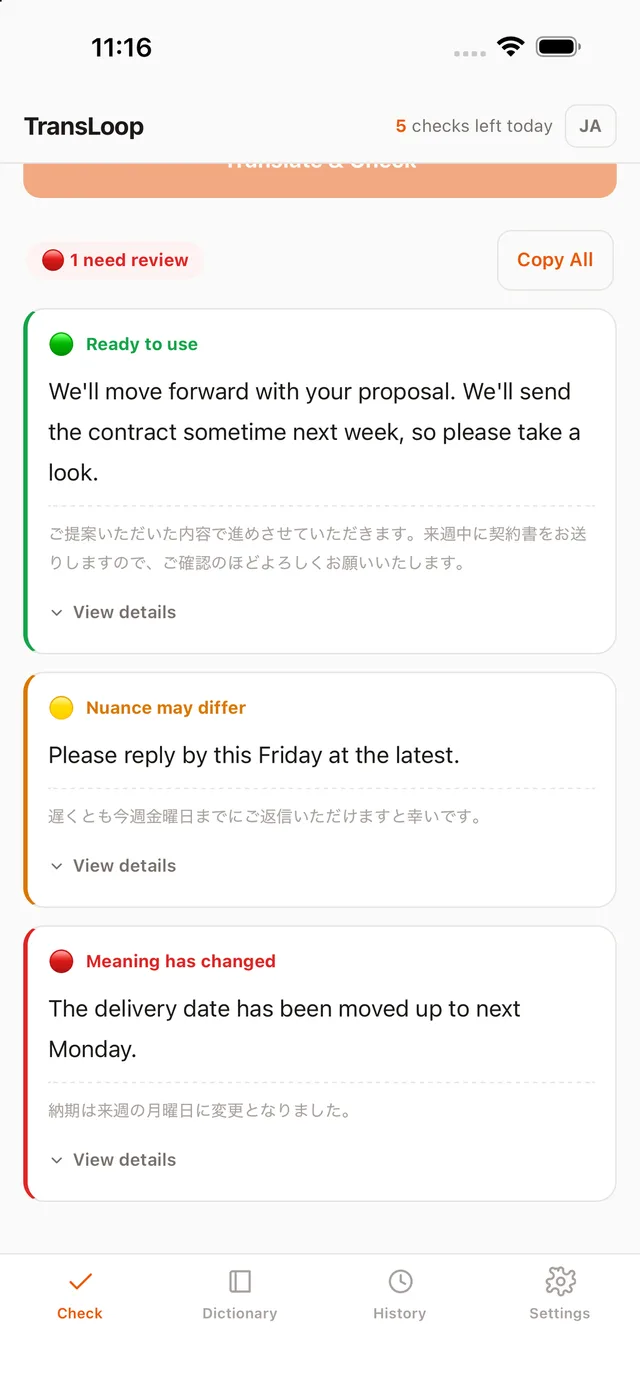
- Back-translateTransLoop looks only at the translation and translates it back, so the check reflects what the translation actually says.
- CompareEach sentence is compared with your original. Shifts in meaning are flagged with a yellow or red signal.
My Dictionary
Terms
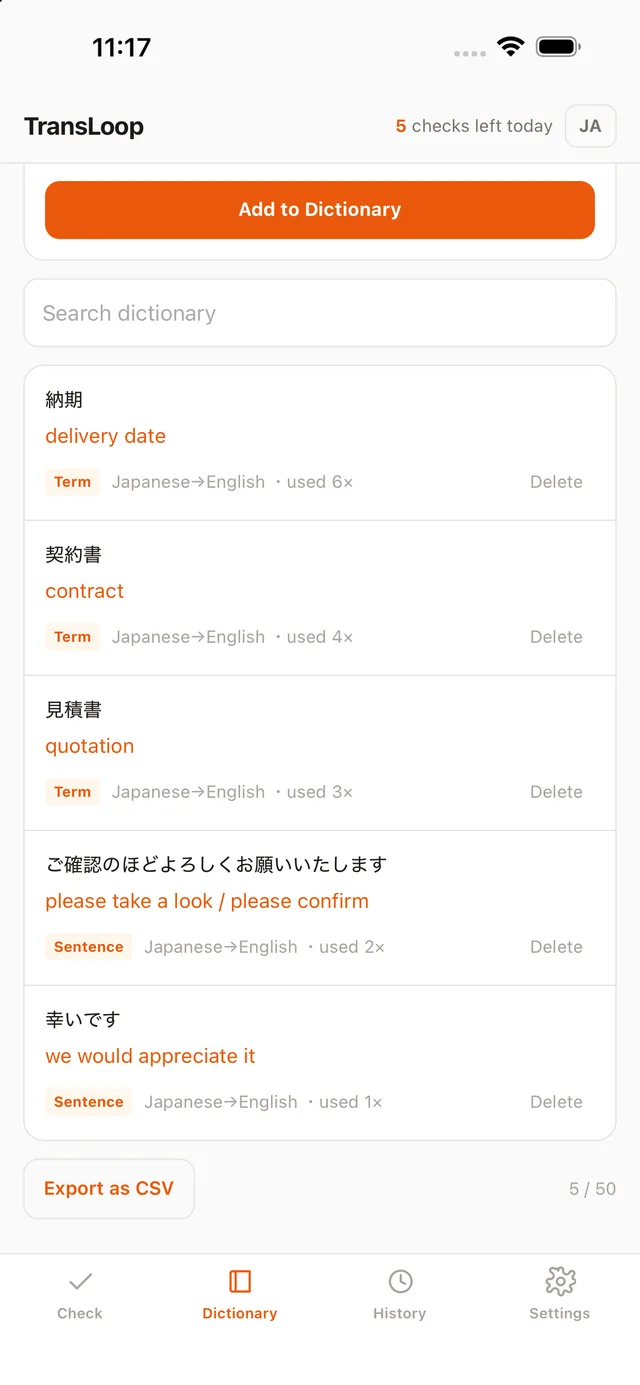
Words registered as terms are always translated the way you saved them.
Phrases
Longer phrases are reused in similar contexts, and an exact match returns your saved translation as-is.
Both directions
Entries work in reverse translation too, and the dictionary can be exported as CSV.
Languages
Japanese to and from English, Chinese (Simplified), Korean, and Vietnamese.
Plans
Free
5 checks per day, 500 characters per check, 50 dictionary entries.
Premium
100 checks per day, 2,000 characters per check, unlimited dictionary. Monthly or annual, with a 7-day free trial for new subscribers. Prices in your local currency are shown in the App Store.
Frequently asked questions
- Is my text stored?
- The text you check is not stored on our servers. History is kept on your device only (latest 50 entries). Only entries you save to My Dictionary are stored on our servers. See the Privacy Policy.
- Does "no meaning drift" guarantee a correct translation?
- No. Results are generated automatically by AI and accuracy is not guaranteed. For medical, legal, contractual, or other high-stakes uses, always have a qualified professional review the content.
- Is there an Android version?
- The iOS version is available now. An Android version is in preparation.